Gymetra Judge
Free iPhone and iPad app for judges.
- Real-time scoring
- Connects to Gymetra Host
- Competition ready
LICENSE SUITE
The modern way to run gymnastics scoring
Applications
Free iPhone and iPad app for judges.

Everything you need to run gymnastics competitions on Mac. Try Gymetra free for 2 weeks.
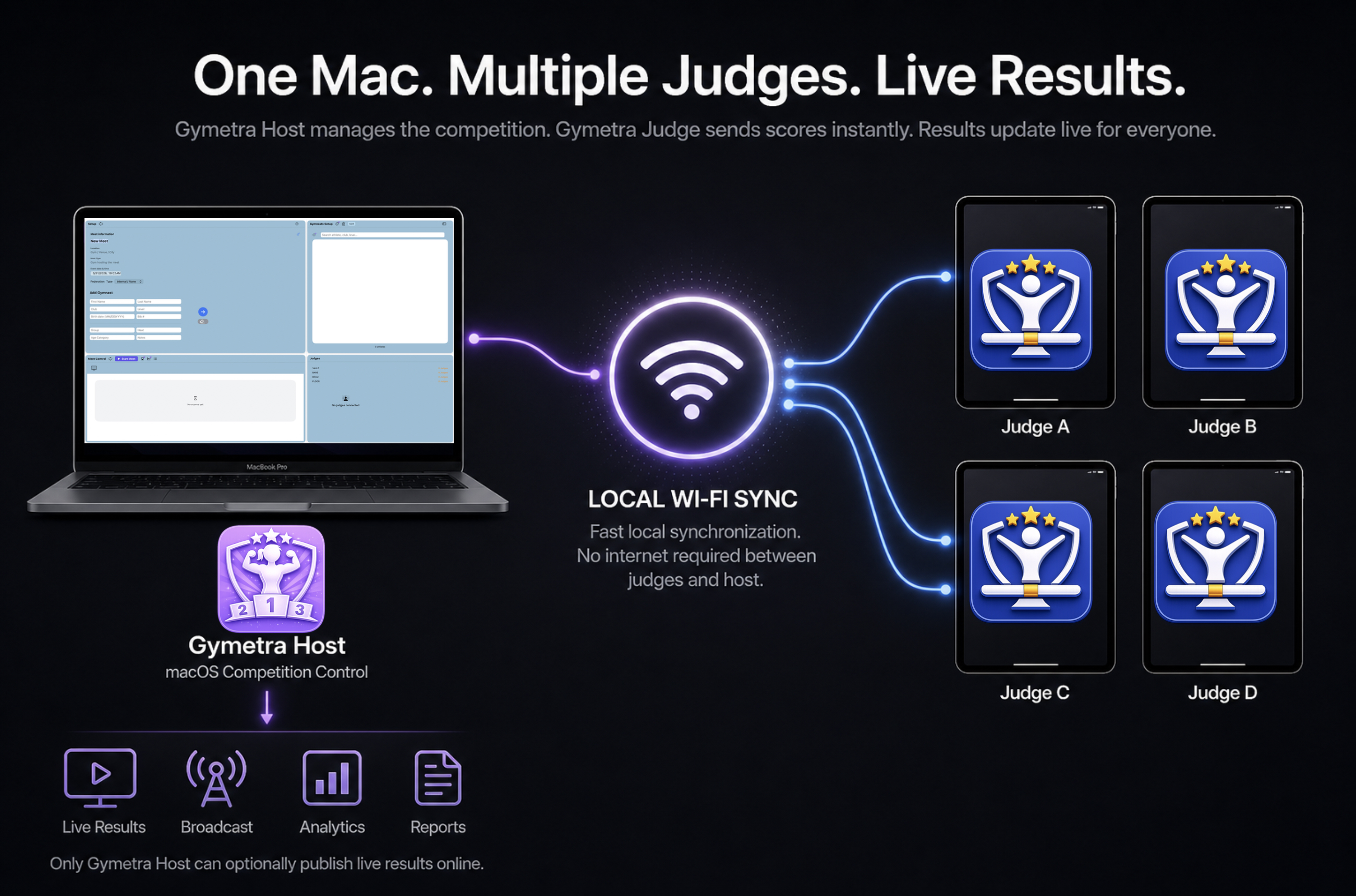
Download Gymetra Host on your Mac and Gymetra Judge on your judges' iPhones or iPads.
Open the macOS installer and drag Gymetra Host to Applications. Launch the app from your Dock.
Activate a free 2-week trial inside Gymetra Host and start running competitions immediately. Enter your license key inside Gymetra Host to unlock full competition features. No account required.
Learn how Gymetra Host and Gymetra Judge work together in real time.